
Create forms users love to complete
From your first question to your next big decision. Create conversational forms that feel like your brand.
 4.5 rating9,073 GitHub stars34k+ users
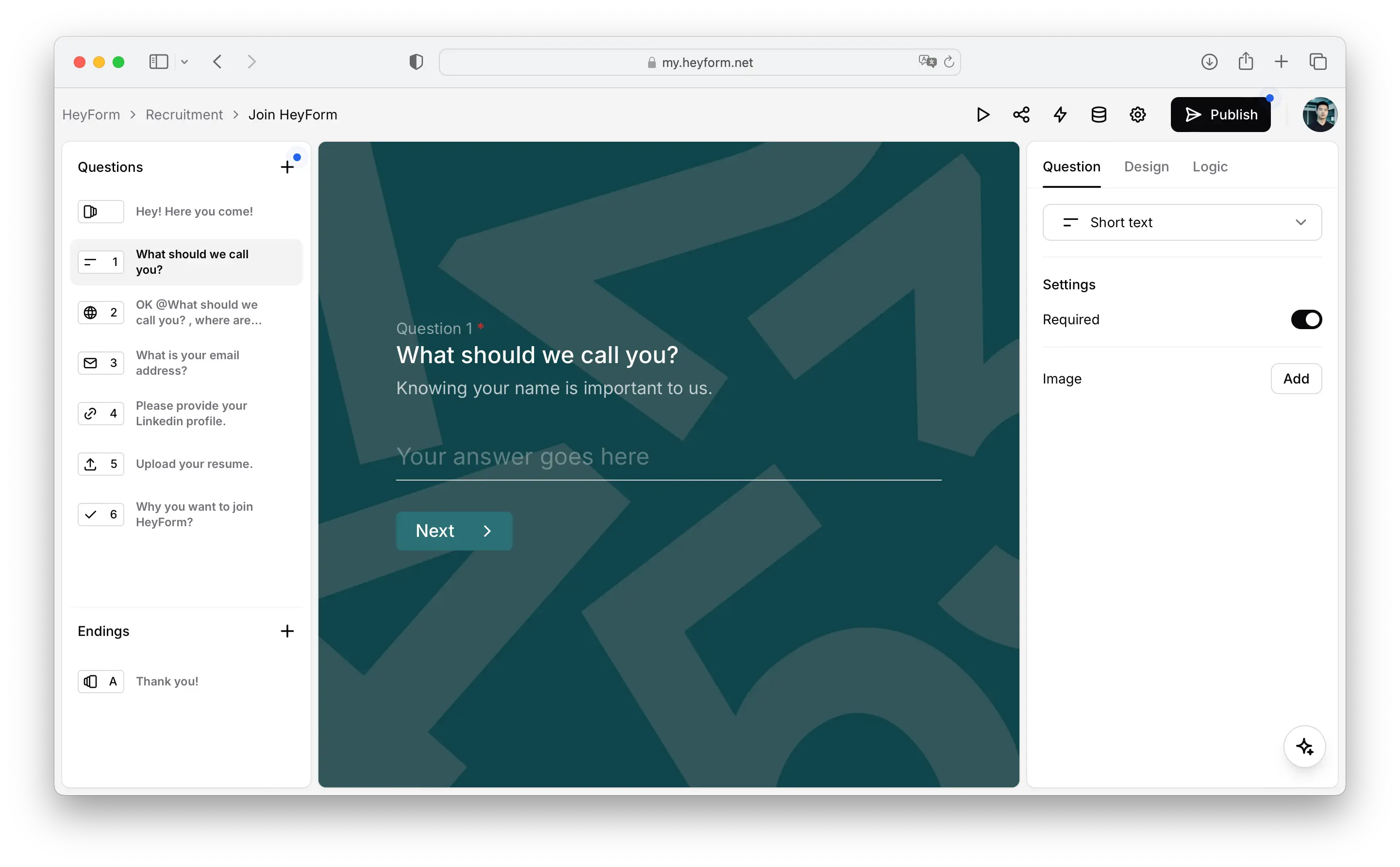
Your idea.
A form in minutes.
Start with a template, build from scratch, or describe what you need to AI. Then make every question work for you.
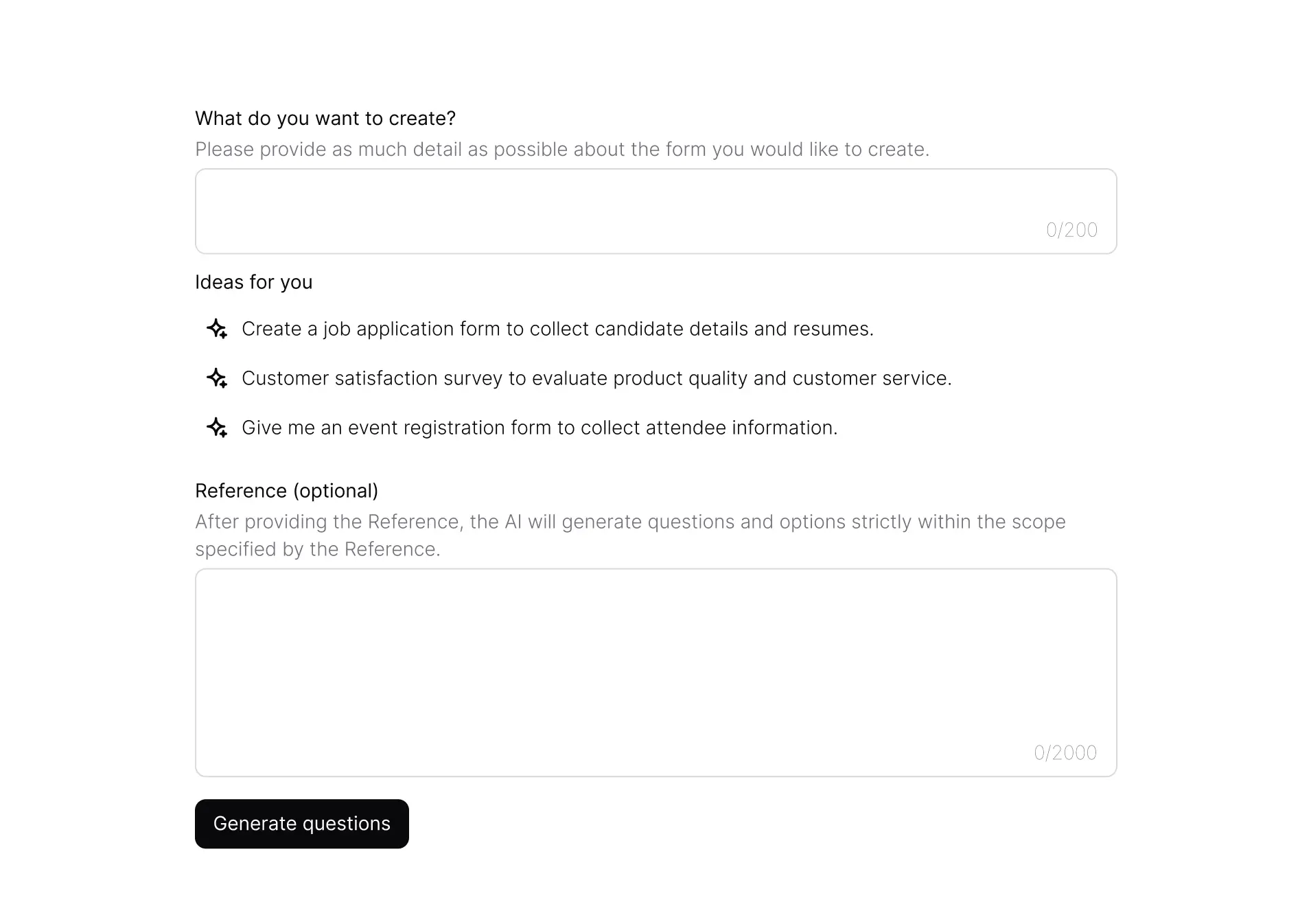
A head start with AI
Turn a description into a first draft of your questions.
A conversation, not a checklist
Use logic and answer piping to make each question relevant.
Make it unmistakably yours.
Your forms are part of your brand. Shape the colors, typography, and flow so every interaction feels familiar.
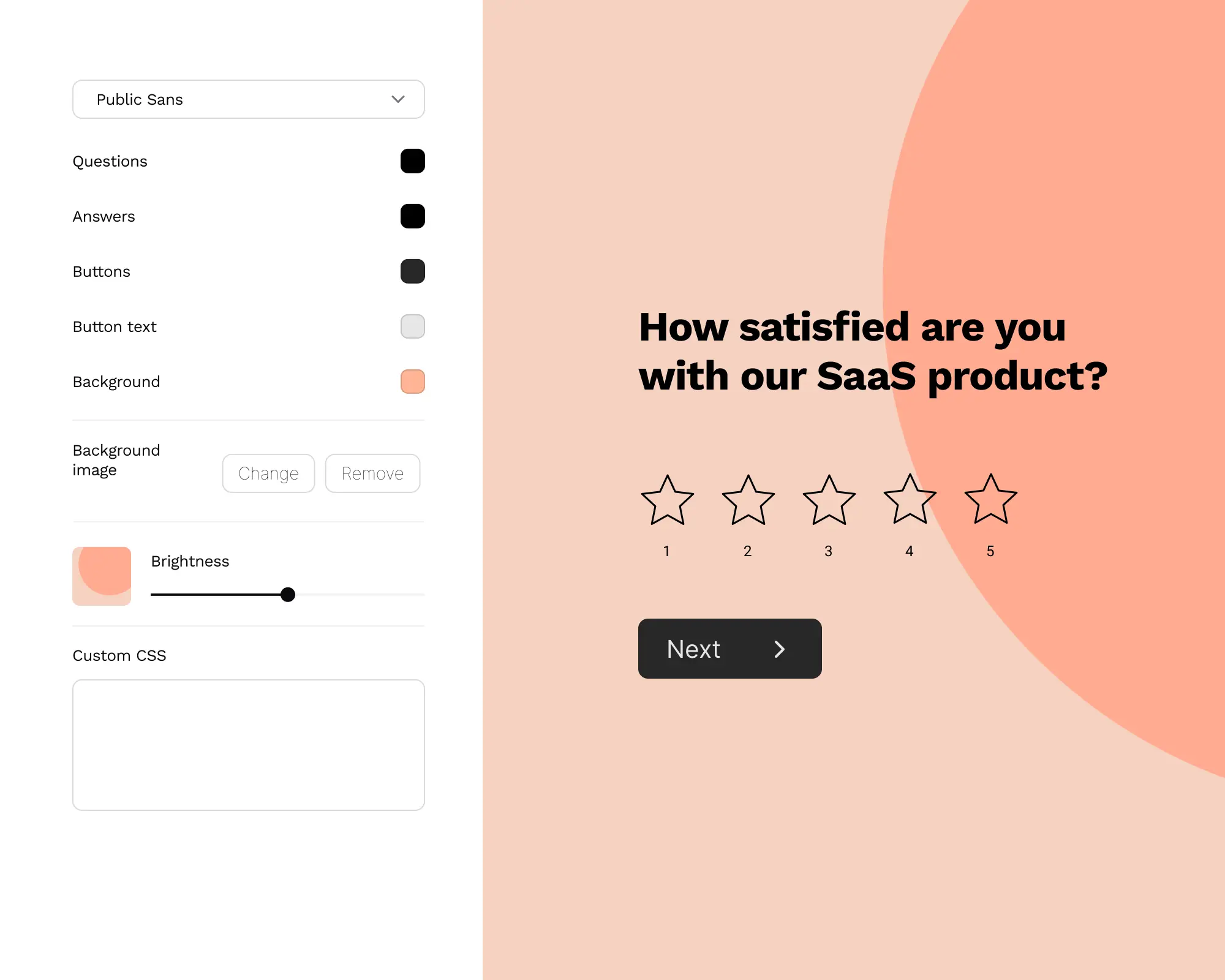


Your look
Customize themes, fonts, colors, and CSS.
Your domain
Share a form with a web address that feels like your own.
Your website
Embed forms where your audience already is.
Meet people where they are.
A customer on their phone. An applicant on a laptop. Give everyone a smooth experience, from the first question to the final answer.
More than text fields
Collect files, signatures, ratings, dates, and payments in one flow.
Ready for every screen
Forms adapt to mobile, tablet, and desktop.

Every response is a next step.
See what people are telling you, share the results, and get the right information to the right place.
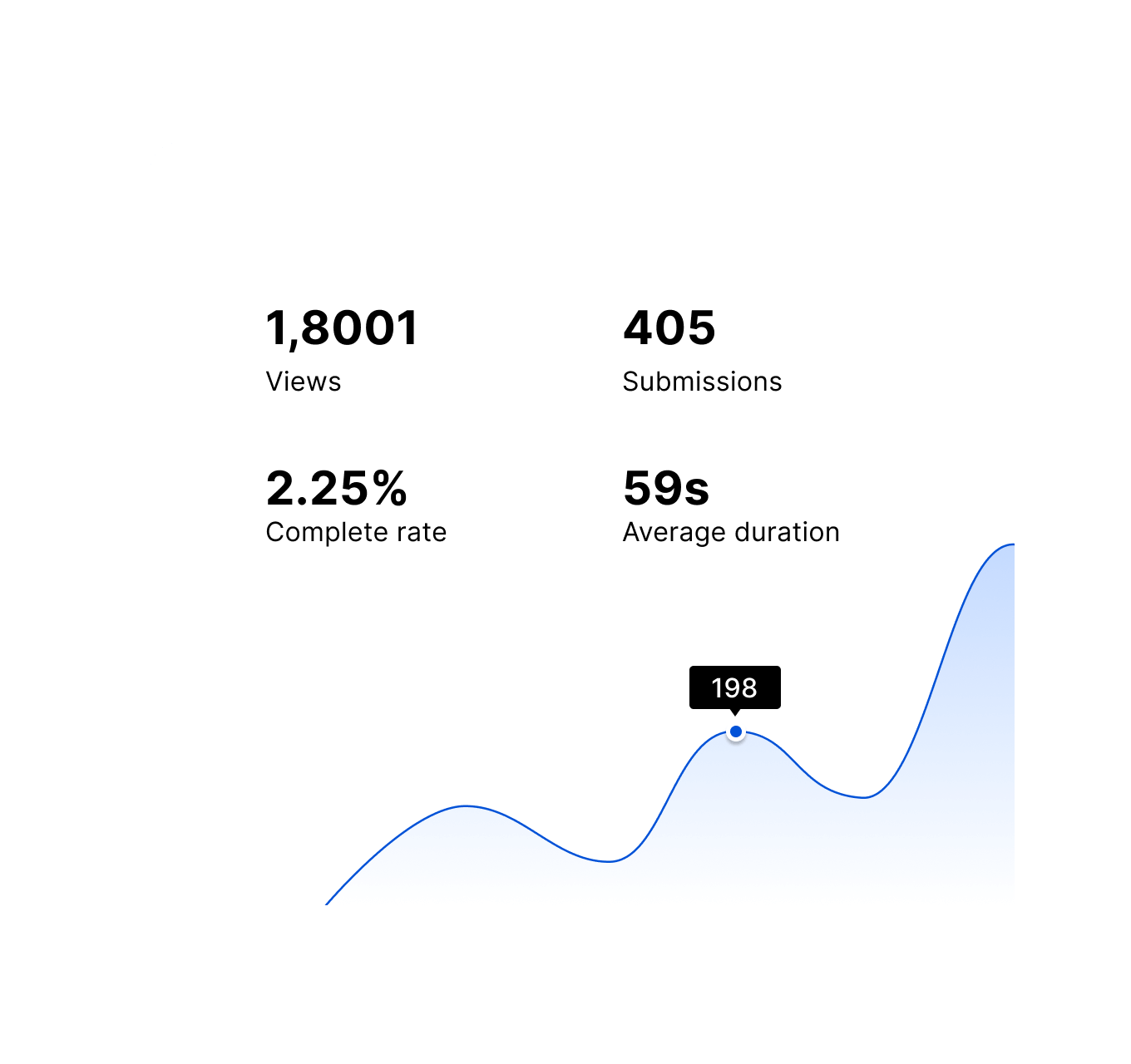
See the whole picture
Track responses, explore your results, and export data to share with your team.
Keep your work moving.
Send responses to your spreadsheets, CRM, or team chat. Let integrations handle the handoff.
 Slack
 Notion
 Google Sheets
 Airtable
 Zapier
Want the full picture?Explore all 43 features
Creation
Build
- Ease
- Get started with a clean, intuitive builder designed for speed. Focus on your questions with less clutter.
- Unlimited forms & fields
- Create as many forms and fields as you need, without artificial limits or paywalls slowing you down.
- File uploads
- Collect files directly in your forms, from documents to images, without extra tools or integrations.
- Multi-device forms
- Your forms work seamlessly across mobile, tablet, and desktop, so anyone can respond, anywhere.
- Real-time updates
- See responses come in instantly, so you can react faster and stay in control.
- Collaboration
- Collaborate with your team in real time. Share access, manage roles, and build together without friction.
Collect
- Contact info
- Gather essential contact information like names, addresses, phone numbers, emails, and links in a structured and organized manner.
- Payments
- Turn your forms into powerful sales tools by integrating Stripe to accept payments. HeyForm's no-code payment setup enables you to create checkout forms quickly and securely.
- Signatures
- Collect legally binding electronic signatures directly through your forms, making it easier to finalize agreements, consent forms, and other documents.
- Rate & rank (NPS)
- Understand your audience better by capturing their opinions with ratings, scales, and rankings.
- Date & time
- Respondents can easily choose dates, times, and time range, perfect for booking appointments, scheduling events, or setting deadlines.
Customization
Elegance
- Custom themes
- Choose from clean, modern themes or create your own, so every form matches your brand perfectly.
- Custom CSS
- Tweak every pixel, adjust every shadow, and fine-tune every transition. Your imagination is the only limit when it comes to making your forms truly one-of-a-kind.
- Responsive design
- Every form looks and works beautifully on any screen, no adjustments needed.
- Embed forms
- Add forms anywhere, your website, product, or landing page, with just a few lines of code.
- Custom domain
- Publish forms on your own domain for a fully branded experience your users trust.
Intelligence
- Conditional logic
- Build forms that think. Show or hide questions based on previous answers, creating a personalized journey for each respondent.
- Dynamic calculations
- Use variables and real-time data to calculate totals, percentages, or any custom values, providing immediate feedback to your respondents.
- Hidden fields
- Pass user data seamlessly to your form with URL parameters, personalizing the experience without extra clicks.
- Answer piping
- Create a conversational feel by referencing previous answers in later questions, making your form more engaging and human.
- Redirect on completion
- Guide respondents to the next step of their journey. Automatically forward them to a thank you page, resource, or any URL after submission.
- Randomize answers
- Eliminate bias and get more accurate data. Shuffle answer options to ensure each respondent sees a fresh perspective.
- Anti-spam protection
- Keep your data clean and your forms secure. Integrate reCAPTCHA to ward off bots and spam submissions effortlessly.
- Password protection
- Add an extra layer of security to sensitive forms. Control access with custom passwords, ensuring only authorized users can respond.
- Scheduled closures
- Set it and forget it. Automatically close your form on a specific date, after reaching a response limit, or display a custom close message.
- Countdown timer
- Create urgency or manage time-sensitive submissions. Set a time limit for form completion and automatically close when time's up.
- Control submission frequency
- Prevent multiple submissions from the same IP address by setting limits on how often users can submit your form. Ideal for ensuring the integrity of your data.
- Automatic translations
- Break language barriers effortlessly. Leverage OpenAI ChatGPT to automatically translate your form into multiple languages, expanding your reach globally.
Insights
Analytics
- Real-time dashboard
- Monitor your form submissions in real-time with our intuitive dashboard. Track response rates, completion times, and more, all at a glance.
Reporting
- Self email notifications
- Get notified for new form submissions with email alerts. Stay updated without having to constantly check your dashboard.
- Custom reports
- Generate custom reports tailored to your specific needs. Filter, segment, and visualize your data to gain deeper insights.
- Export data
- Easily export your data in multiple formats, including CSV, Excel, and PDF, for further analysis or sharing with stakeholders.
Automation
Integration
- Webhook
- Connect HeyForm with any application using Webhooks. Instantly send form data to your preferred endpoint, enabling real-time data transfer and immediate action.
- Slack
- Receive instant notifications for new form submissions directly in your Slack channels, ensuring quick responses and collaboration.
- Notion
- Sync HeyForm with Notion to automatically create and update pages with form submissions. Keep your projects and databases organized without manual data entry.
- Airtable
- Integrate HeyForm with Airtable to populate your bases with form data. Automate the creation of records, streamline data management, and ensure your information is always up-to-date.
- Google Sheets
- Automatically send form responses to Google Sheets. Keep your spreadsheets updated in real-time, making it easier to analyze data, generate reports, and share insights.
- Salesforce
- Automatically sync form data with Salesforce, ensuring your CRM is always up-to-date. Streamline your sales processes and improve customer interactions.
- Hubspot
- Connect HeyForm with HubSpot to automatically add new contacts and leads from form submissions. Improve your CRM workflows and ensure no lead slips through the cracks.
- Stripe
- Integrate HeyForm with Stripe to process payments directly through your forms. Provide a seamless payment experience for your users and manage transactions effortlessly.
- Mailchimp
- Automatically add new contacts to your Mailchimp lists based on form submissions. Enhance your email marketing efforts with targeted campaigns and personalized communication.
- Telegram
- Send form notifications and updates directly to your Telegram account. Stay informed on-the-go and respond to form submissions in real-time.
- Zapier
- Unlock the full potential of HeyForm with Zapier. Connect with over 2,000 apps and automate complex workflows without writing a single line of code.
Make your next form a HeyForm.
Start with an idea. Build a form that feels like you.
Create your first form